My Blog

This is my web coding blog. It's the home for several simple, easy-to-understand applications which are written using various programming languages. Feel free to get in touch if you want me to code a specific project for you.

Files, names, and greetings in Python

It's time to step up our Python game! Online Python Compilers can be helpful, but as you move into more advanced stuff, you will discover that you can't use them to write applications that work with files, for example.

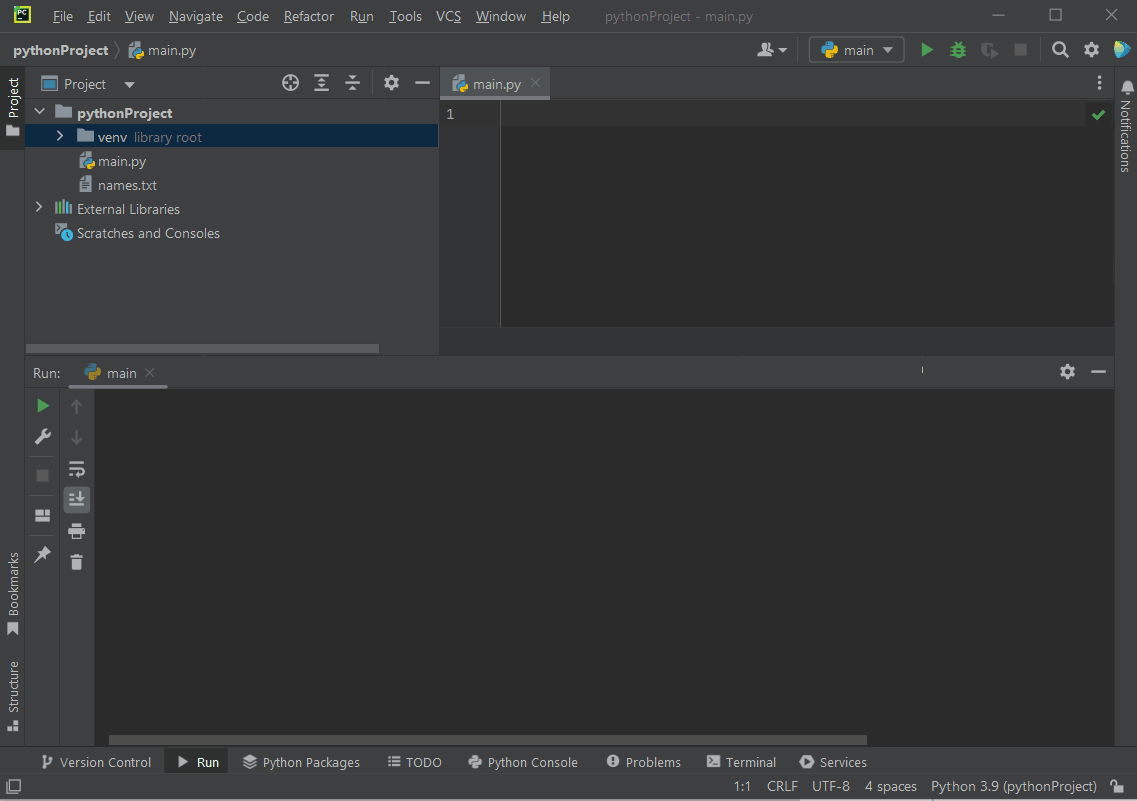
There are several Python packages out there; my recommendation is to use PyCharm Community edition, which can be downloaded for free here. This is how the IDE looks like.
Install PyCharm, start a new project, and then copy/paste the code below inside main.py

with open("names.txt", "r+") as f:
    lines = f.readlines()
    for i in range(len(lines)):
        lines[i] = "Hello, " + lines[i]
    f.seek(0)
    f.writelines(lines)

The code opens an already existing names.txt file, reads all the names inside it, adds "Hello, " in front of each name, and then writes the resulting strings to the file.

The only problem is... we don't have a names.txt file! Fortunately, it is very easy to create one from scratch.
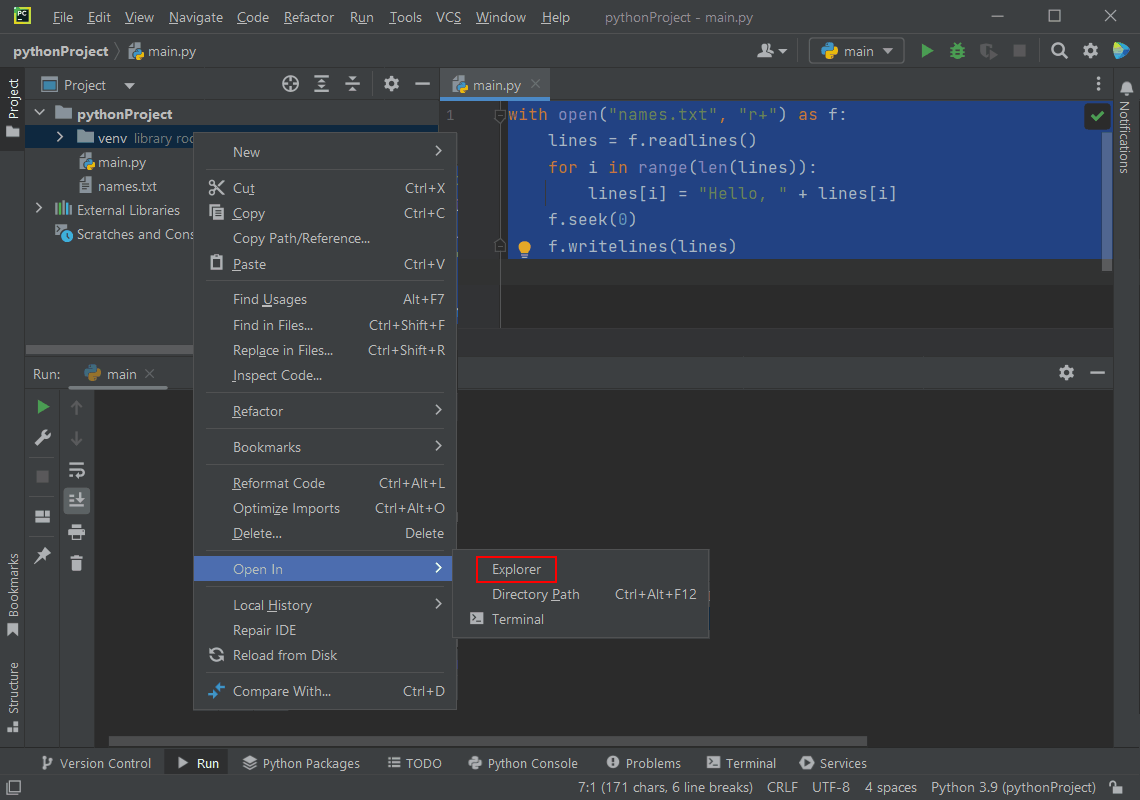
Right-click the project folder, and then choose "Open In", "Explorer". This will bring up the folder where all the project files are located.

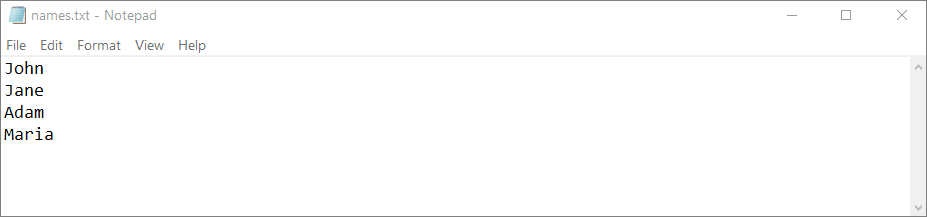
Right-click an empty space in the folder window, and then pick "New", followed by "Text Document". Write a few names inside that file, and then save it. Here's how my names.txt file looks like.
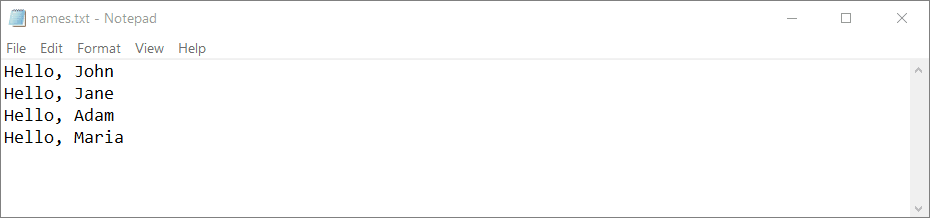
Use Shift + F10 to run the program, or pick "Run" - "Run main" from the menu at the top of the screen. If everything works as expected, your names.txt file should look like the one in the image below.
I hope that you are amazed to see that we can do so many things with so few lines of Python code. My next tutorial will be not only interesting but also useful, so be sure to check back in a few days.